
Hide Data Within a Worksheet in Excel

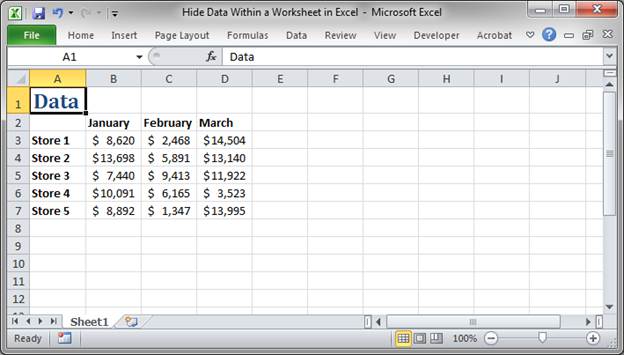
In Excel you can actually hide data that is stored within a worksheet.
This allows you to show data that is useful to a user while hiding data that you don't want them to change or that you simply don't want them to see. This makes for more robust worksheets, as it becomes harder to mess things up and also makes for nicer looking well-kept spreadsheets.
Hide Data Within Worksheets Method 1 - Hide Columns/Rows
The first method involves simply hiding the columns or rows that contain the data you want to hide.
- Select the columns or rows that contain the data to hide:
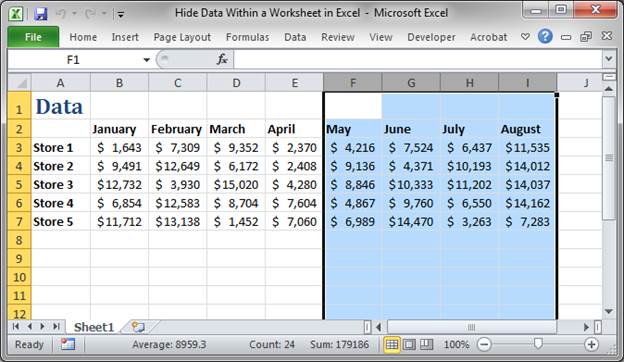
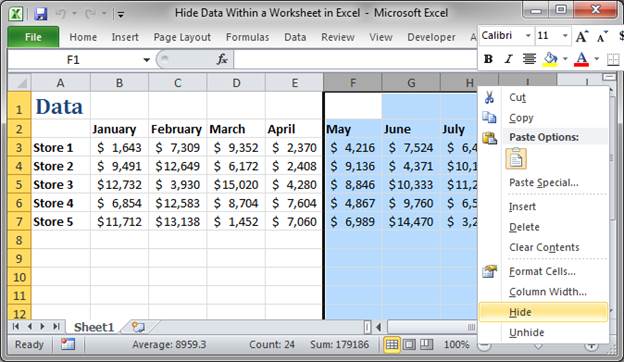
- Right-click over the column/row headings and click Hide:
- The result is that the selected columns no longer appear in the spreadsheet:
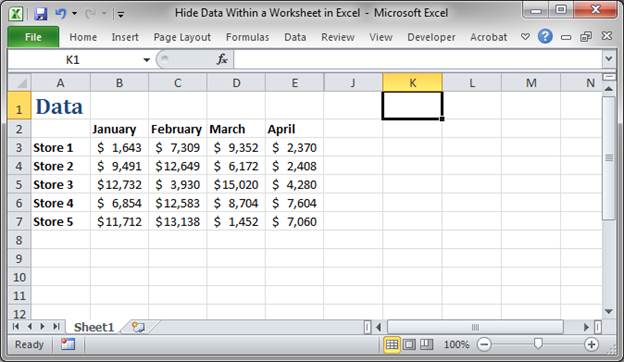
Notice how it goes from column E to column J. That's how you know there are hidden columns in the spreadsheet.
Doing this for rows works exactly the same - select the desired rows, right-click the row headings, click Hide, and that's it.
Unhide Hidden Columns/Rows in Excel
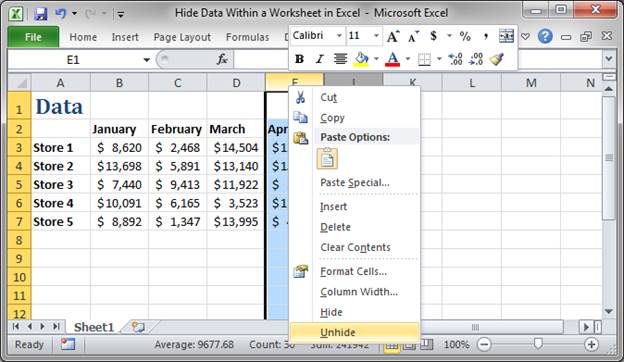
- Select the two columns that border the ones that you want to unhide or see again. We select columns E and J. Make sure to select the columns by holding the left mouse button down on the left-most column and dragging to the right until the column on the right is also selected.
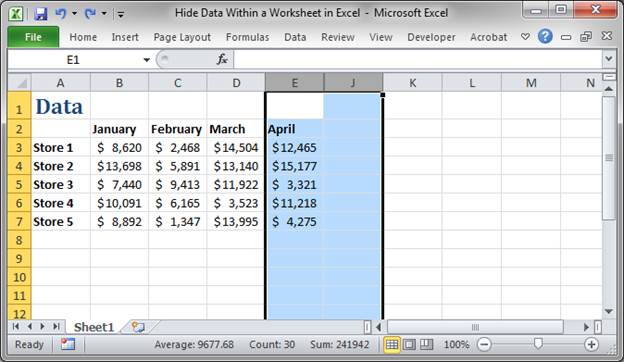
- Move the mouse over the selected column headings and right-click and select the option Unhide:
- The hidden columns are now visible:
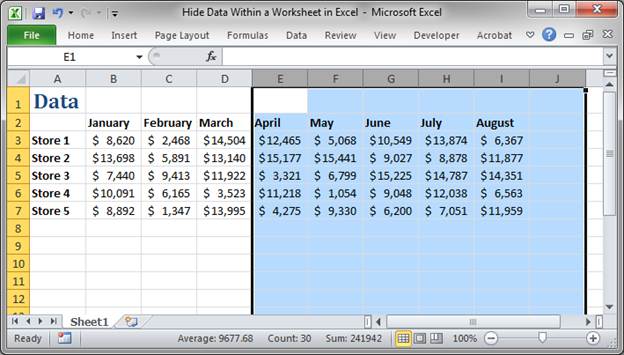
Unhiding works the same for columns as it does rows.
Hide Data Within Worksheets Method 2 - Font Color Trick
The first method has the problem that it will hide all data in the columns/rows that you hide and this might not work in your spreadsheet.
In this case, we use the font color trick, which is what I call it. We hide the data in plain site by changing the font color to the same color as the background of the cells.
- Select desired cells to hide:
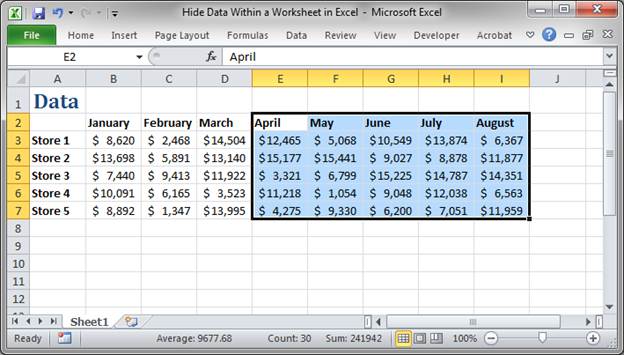
- Change the font color to white:
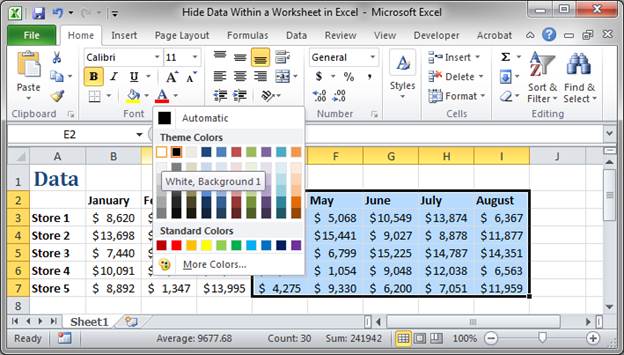
- Now, you can't see the data:
Note that the data is still there and you can see it if you select a cell and look to the formula bar, located above the column headings.
Unhide Hidden Cells in Excel
If you want to see the data again, just select the desired cells and change the font color back to black.
Keep the Hidden Data Secure
The problem with this method is that, since the user can't see that there is data in these cells, they might delete the data in them by accident.
As such, you can protect the worksheet so the user cannot delete cells. This allows you to have data hidden right in front of them.
Notes
Neither of the methods above should be used to protect or hide sensitive information!!!
Each of the above methods can be easily circumvented; the point of hiding data like this is to make the spreadsheet easier to read, less cluttered, and more professional looking.
Download the accompanying workbook to test these methods in Excel.
Question? Ask it in our Excel Forum

Excel VBA Course - From Beginner to Expert
200+ Video Lessons 50+ Hours of Instruction 200+ Excel Guides
Become a master of VBA and Macros in Excel and learn how to automate all of your tasks in Excel with this online course. (No VBA experience required.)
Macro: This Excel macro removes all filtering from a worksheet in Excel. This allows you to compl...
Tutorial: How to generate random whole numbers (integers) that are between two numbers. This allow...
Macro: Add a drop down menu or list to a cell in Excel with this free Excel macro. This is a grea...
Tutorial: In Excel you can select parts of a worksheet to print while ignoring all of the other data...
Tutorial: You can enter data into a table in Excel using a form; here I'll show you how to do that....
Tutorial: Moving Cells around a worksheet in Excel is fast an easy. Below I have a table of forename...
Subscribe for Weekly Tutorials
BONUS: subscribe now to download our Top Tutorials Ebook!

Excel VBA Course - From Beginner to Expert
200+ Video Lessons
50+ Hours of Video
200+ Excel Guides
Become a master of VBA and Macros in Excel and learn how to automate all of your tasks in Excel with this online course. (No VBA experience required.)