
View Different Parts of a Worksheet at Once in Excel

View different sections of the same worksheet when the sections are far apart. This allows you to better work on large spreadsheets that contain a lot of data.
Steps to View Multiple Different Sections of a Worksheet at Once
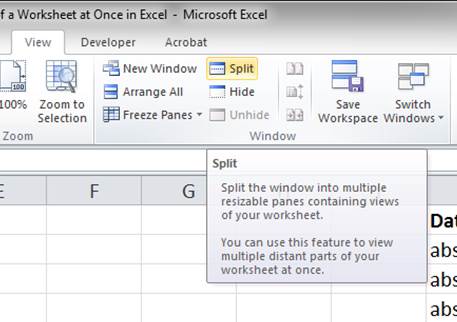
- Go to the View tab and click the Split button:
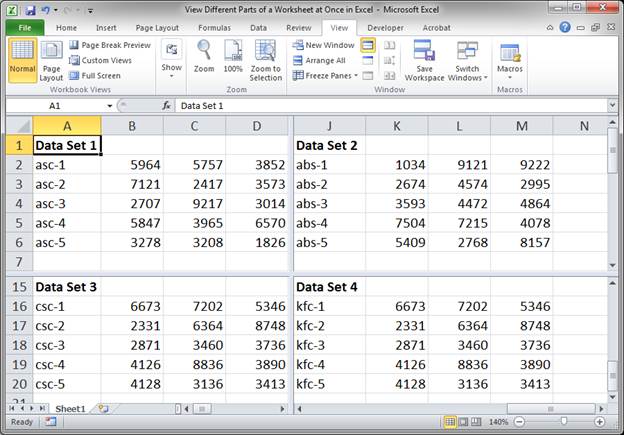
- Once you do that, your screen will be divided into 4 sections:
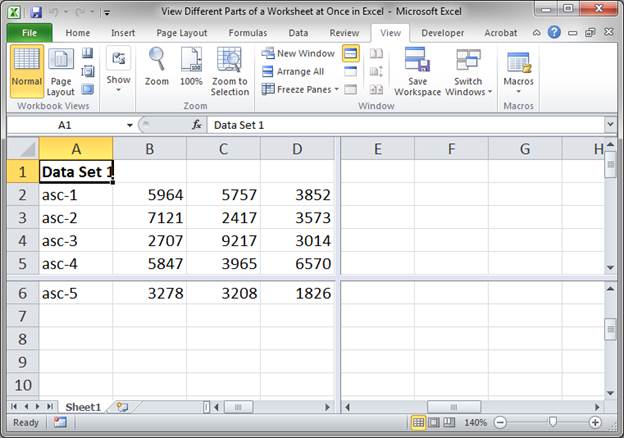
You have 4 different views of the same worksheet. - Click on the middle of the dividers that appeared and resize them so they work for your data:
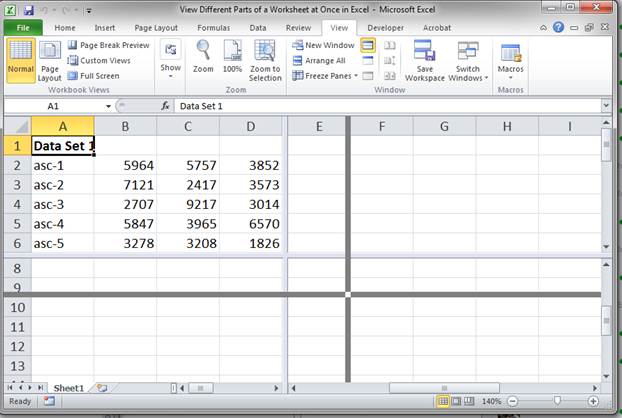
If you move the dividers all the way to the top, you will have a dual split screen like this: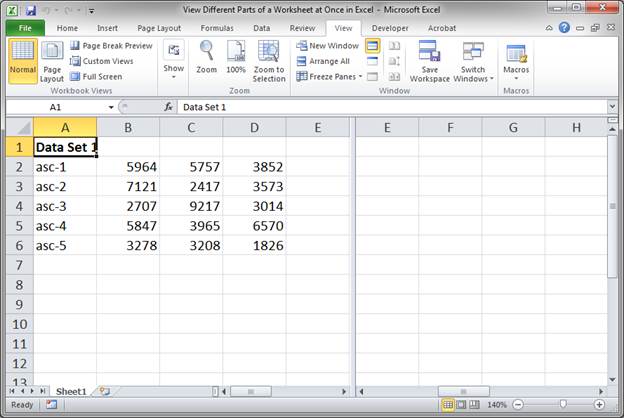
If you move them all the way to the left, the screen will be split like this: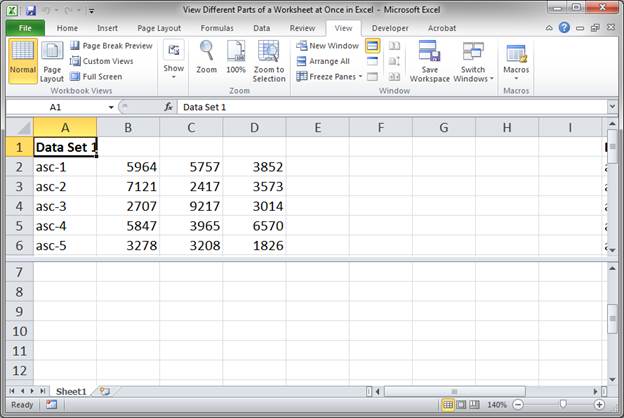
To get back to the original 4 way split, just click the Split button on the View tab once to remove it all and then again to bring it back. - Once you have the view that you want, move the sliders at the bottom of the window and to the right of the window to adjust the view. This might be a little confusing at first, so play around with it until you get what you want.
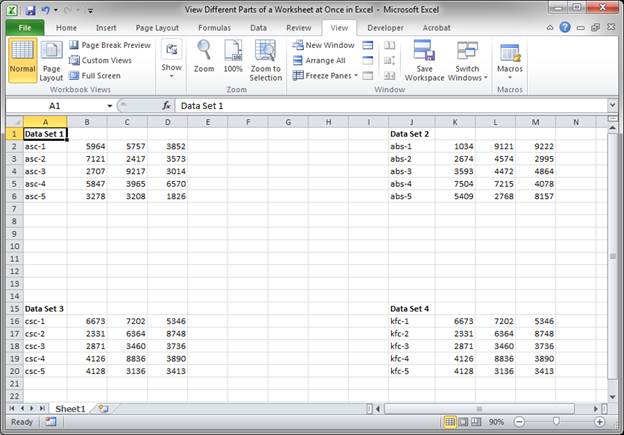
If I was going to view all 4 sections of the worksheet without using this view feature, I would have to zoom out or have a big monitor and it would look like this:
Notes
To go back to the default view, click the Split button again on the View tab.
This view is kind of confusing to use at first. Play around with it until you understand how it works and become comfortable with the interface. When working on large worksheets, this view is a really helpful feature to use.
Download the sample worksheet that comes with this tutorial so you can try this out and see how it works.
Question? Ask it in our Excel Forum

Excel VBA Course - From Beginner to Expert
200+ Video Lessons 50+ Hours of Instruction 200+ Excel Guides
Become a master of VBA and Macros in Excel and learn how to automate all of your tasks in Excel with this online course. (No VBA experience required.)
Tutorial: View separate parts of a large worksheet while in the same Excel window. This allows you t...
Tutorial: How to view all of the formulas at once in Excel so that you can troubleshoot the spreadsh...
Tutorial: How to print all worksheets at once from Excel. This saves you the time of having to go to...
Tutorial: In Excel you can select parts of a worksheet to print while ignoring all of the other data...
Macro: This Excel macro allows you to filter a data set on multiple columns and criteria at once....
Tutorial: How to quickly resize multiple columns and rows at once in Excel. This avoids having to...
Subscribe for Weekly Tutorials
BONUS: subscribe now to download our Top Tutorials Ebook!

Excel VBA Course - From Beginner to Expert
200+ Video Lessons
50+ Hours of Video
200+ Excel Guides
Become a master of VBA and Macros in Excel and learn how to automate all of your tasks in Excel with this online course. (No VBA experience required.)