
Import a Worksheet from One Workbook to Another in Excel

In Excel, you can quickly copy an entire worksheet from one workbook to another workbook. This allows you to import data from other workbooks with ease and without having to copy/paste everything between the worksheets.
Steps to Import a Worksheet from Another Workbook in Excel
- Make sure that you have both workbooks open, the one that has the data you want and the one to which you will import the worksheet.
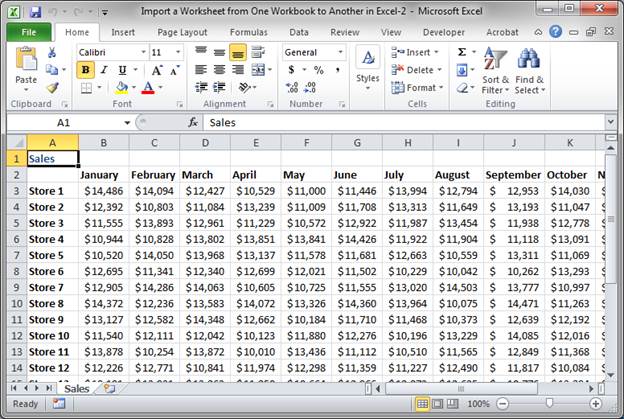
- Go to the Excel workbook that contains the worksheet that you want to export.
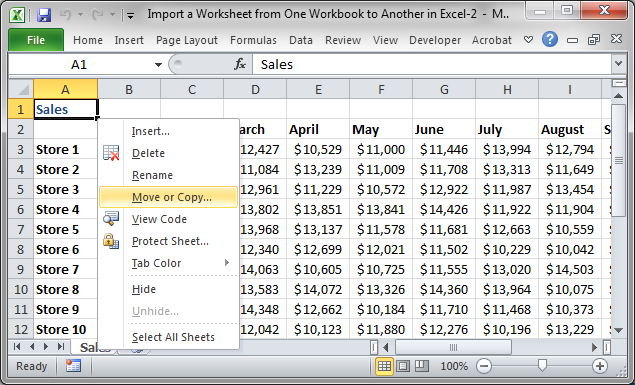
- Right-click on the tab of the worksheet that you want to export and click Move or Copy...
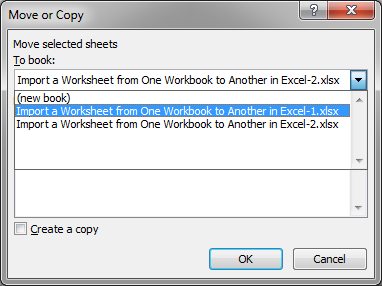
- In the window that opens up, select the workbook where you want the data to be from the To book: drop down menu:
- Choose if you want the worksheet to be placed before a specific worksheet in the new workbook or at the end of all of the worksheets:
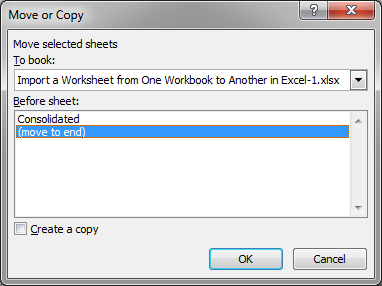
- Make sure to check the option Create a copy so that the worksheet will be copied or imported into the new workbook instead of completely moved there, which would remove the worksheet from the original workbook altogether.
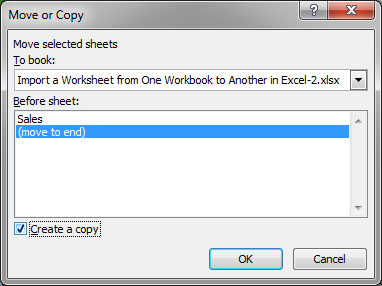
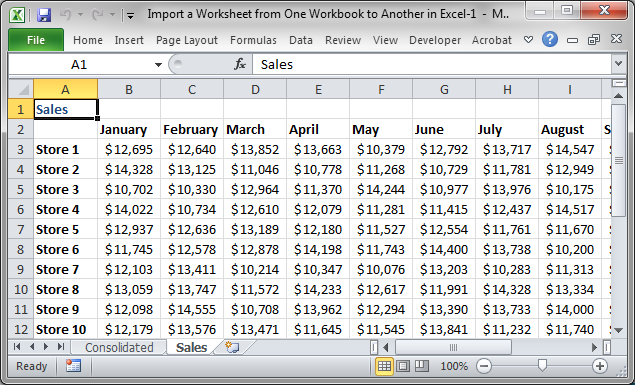
- Hit OK and you will then be taken to the other workbook, the one to which the worksheet was imported.
Notes
This is a much better way of importing data between workbooks in Excel than just selecting all of the data and copy/pasting. With the method above, you are assured of importing all of the data from the worksheet and having it look exactly the same, all the while only taking a few seconds.
Make sure you check the Create a copy check box so that you will not remove the worksheet from the source workbook. This is an easy mistake to make and you might not notice it for a while.
Download the accompanying workbooks so you can test out this feature of Excel.
Question? Ask it in our Excel Forum

Excel VBA Course - From Beginner to Expert
200+ Video Lessons 50+ Hours of Instruction 200+ Excel Guides
Become a master of VBA and Macros in Excel and learn how to automate all of your tasks in Excel with this online course. (No VBA experience required.)
Tutorial: How to get data from separate workbooks in Excel. This tutorial includes an example using ...
Tutorial: How to pass variables and values to macros. This allows you to get a result from one macr...
Tutorial: How to pass arguments and values to macros called from worksheets, buttons, and anything e...
Tutorial: Guide to combining and consolidating data in Excel. This includes consolidating data from ...
Tutorial: How to input data into cells in a worksheet from a macro. Once you have data in your macro...
Macro: This free Excel macro illustrates all of the possible parameters and arguments that yo...
Subscribe for Weekly Tutorials
BONUS: subscribe now to download our Top Tutorials Ebook!

Excel VBA Course - From Beginner to Expert
200+ Video Lessons
50+ Hours of Video
200+ Excel Guides
Become a master of VBA and Macros in Excel and learn how to automate all of your tasks in Excel with this online course. (No VBA experience required.)