
SMALL Function - Get the Lowest Values from a List in Excel

Return the smallest values from a list, or any of the smallest values, in Excel. This includes the smallest value, second smallest, third smallest, etc.
This method uses the SMALL() function.
Sections:
Example - Any of the Smallest Values
Syntax
=SMALL(array, k)
| Argument | Description |
|---|---|
| Array | The range from which you want to get the smallest value, or just any bottom value. |
| K |
Which bottom value you want to get. 1 means to get the smallest value. 2 means to get the second smallest value. Etc. |
Example - Smallest Value
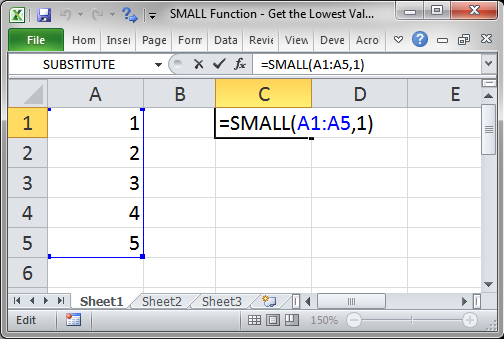
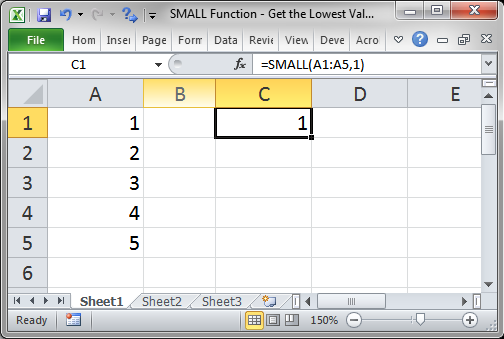
Get the smallest value from a list.
=SMALL(A1:A5,1)
A1:A5 is the range of values.
Result:
Example - Any of the Smallest Values
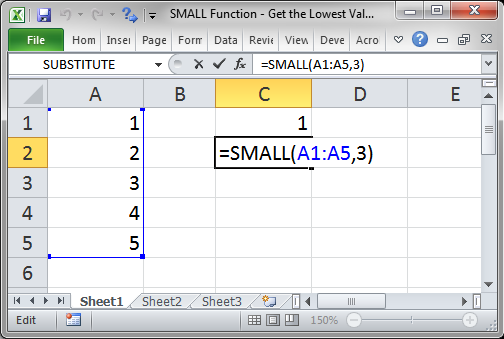
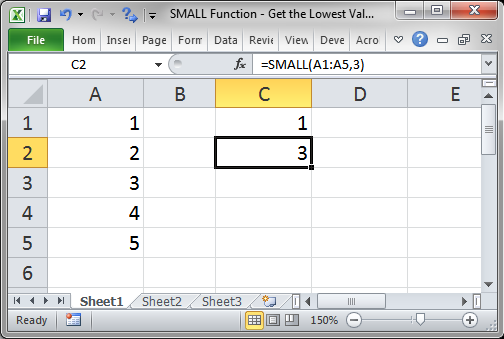
Let's get the 3rd smallest value.
=SMALL(A1:A5,3)
A1:A5 is the range of values.
Result:
Notes
This is a nice and easy-to-remember function that is great when you want to return things like the worst performers or just anywhere where you need to do something like return the 3 lowest values, or just the lowest value etc.
Make sure to download the sample file for this tutorial to work with these examples in Excel.
Question? Ask it in our Excel Forum

Excel VBA Course - From Beginner to Expert
200+ Video Lessons 50+ Hours of Instruction 200+ Excel Guides
Become a master of VBA and Macros in Excel and learn how to automate all of your tasks in Excel with this online course. (No VBA experience required.)
Subscribe for Weekly Tutorials
BONUS: subscribe now to download our Top Tutorials Ebook!

Excel VBA Course - From Beginner to Expert
200+ Video Lessons
50+ Hours of Video
200+ Excel Guides
Become a master of VBA and Macros in Excel and learn how to automate all of your tasks in Excel with this online course. (No VBA experience required.)