
Add Description Text to a UDF in Excel

How to add a description for a UDF (User Defined Function). This allows the user to understand what the function does.
Note that this description text is only visible when you open the Function Arguments window by clicking the Insert Function (fx) button.
Steps to Add a Description to a UDF
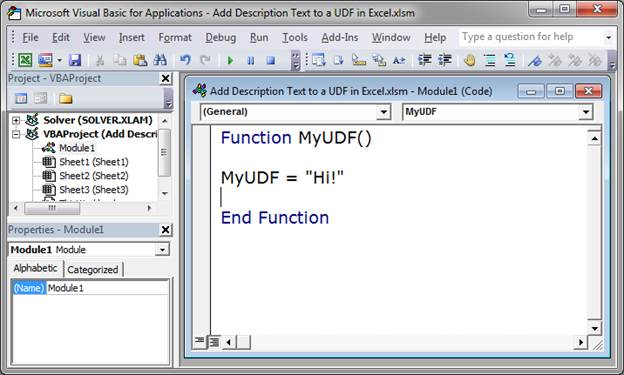
- Go to the VBA Editor window (Alt + F11) and make sure you have input the UDF.
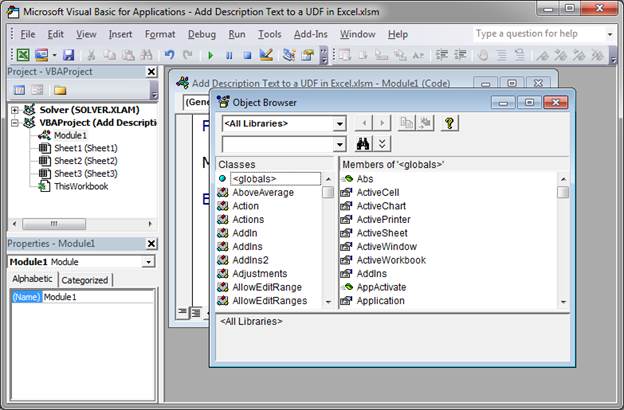
- Hit F2 to open the Object Browser window.
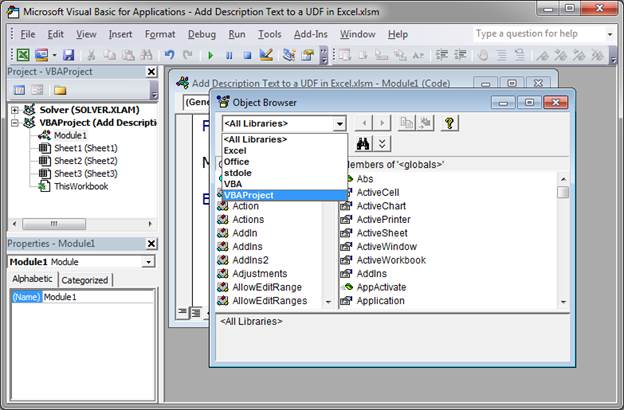
- Select VBA Project from the top drop-down menu in the window.
- Look to the pane on the right of the window and you should now see your UDF:
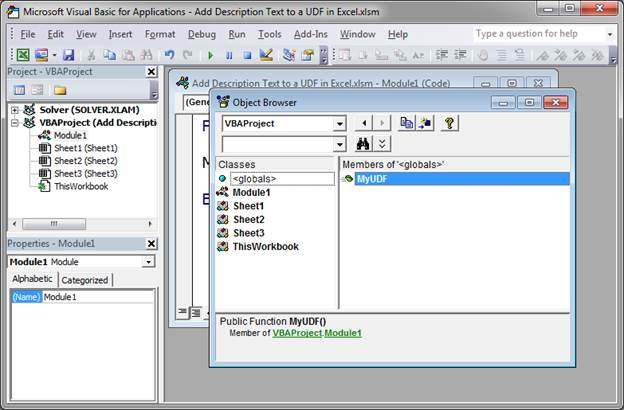
If you do not see the UDF in the right pane, click through the items in the left pane until it appears. - Right-click your UDF and then click Properties
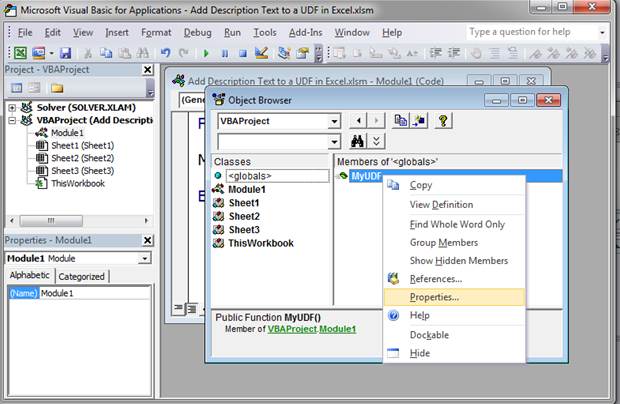
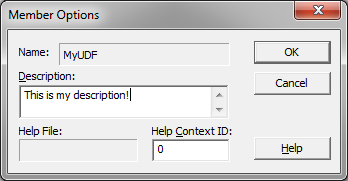
- In the window that opens, type the description that you want in the Description box and then hit OK.
- Close the Object Browser window, save the file, and go back to Excel. When you type the function and click the fx (insert function) button, you will new see the description of the function that you just entered.
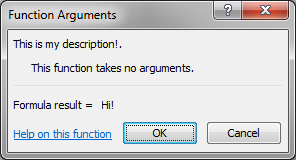
This window also shows any arguments that the function takes.
Notes
It requires a lot of effort to get a UDF to function more like a regular Excel function, but this is one of the easiest things that you can do to give the user more information about what the function does and how to use it.
Make sure to download the sample file attached to this tutorial to work with this example in Excel.
Question? Ask it in our Excel Forum

Excel VBA Course - From Beginner to Expert
200+ Video Lessons 50+ Hours of Instruction 200+ Excel Guides
Become a master of VBA and Macros in Excel and learn how to automate all of your tasks in Excel with this online course. (No VBA experience required.)
Tutorial: In this tutorial I am going to cover inserting and editing Shapes in an Excel workbook, as...
Macro: Add a drop down menu or list to a cell in Excel with this free Excel macro. This is a grea...
Tutorial: How to use an image for the background of a chart in Excel. Simple but fun way to spruce...
Macro: This free Excel UDF outputs all text from a comment in Excel. This benefit of this UDF is ...
Macro: Reverse cell contents with this free Excel UDF (user defined function). This will mir...
Tutorial: Let's create a working UserForm in Excel. This is a step-by-step tutorial that shows you e...
Subscribe for Weekly Tutorials
BONUS: subscribe now to download our Top Tutorials Ebook!

Excel VBA Course - From Beginner to Expert
200+ Video Lessons
50+ Hours of Video
200+ Excel Guides
Become a master of VBA and Macros in Excel and learn how to automate all of your tasks in Excel with this online course. (No VBA experience required.)