
Formulas to Remove First or Last Character from a Cell in Excel

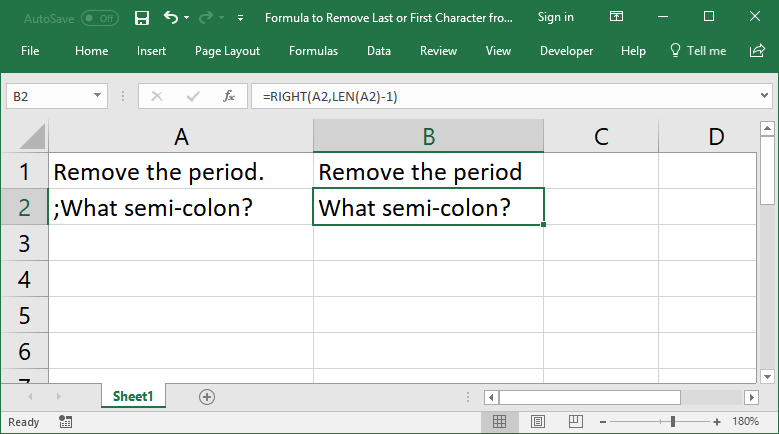
Formulas that allow you to quickly and easily remove the first or last character from a cell in Excel.
Sections:
Remove First Character from a Cell
Remove Last Character from a Cell
Remove First Character from a Cell
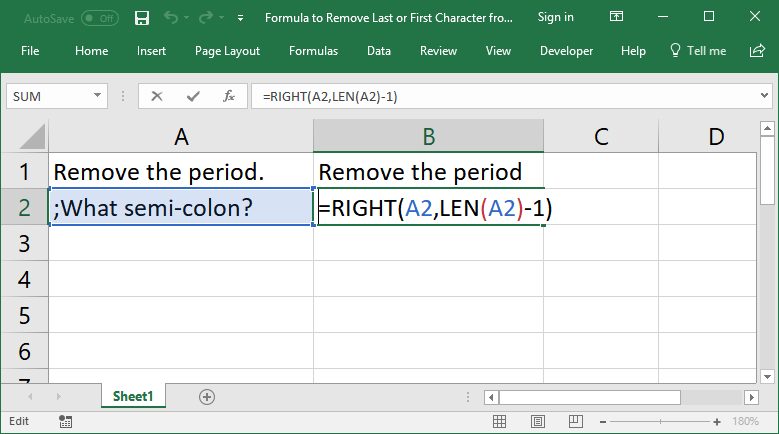
=RIGHT(A2,LEN(A2)-1)The RIGHT() function gets the text from the right side of the cell.
The LEN() function is used to count how many characters are in the cell and then that number has 1 subtracted from it so that the total count of characters is 1 less; this part is in the second argument of the RIGHT() function, which tells the function how many characters to get from the right of the cell.
Remove Last Character from a Cell
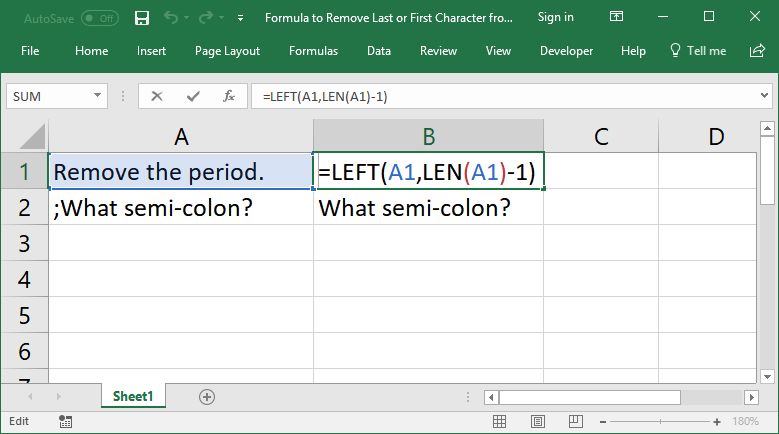
=LEFT(A1,LEN(A1)-1)This follows the same premise as the section above.
The LEFT() function gets so many characters from the left of a cell.
The LEN() function counts how many characters are in the cell and that number is then subtracted by 1 because we want to pull-in all the characters from the left of the cell except for the very last one. This function is in the num_chars argument of the LEFT() function that tells it how many characters to get from the left of a cell.
Notes
These formulas are actually rather simple text manipulation formulas. The main thing to remember is the logic that is used. The LEN() function is used to count the number of characters in the cell and we then subtract that count by 1; the resulting number is how many characters we want to get from the cell; all that is left is to figure out if we want to get the characters from the left, LEFT(), or right, RIGHT(), side of the cell.
Make sure to download the sample file to get these examples in Excel.
Question? Ask it in our Excel Forum

Excel VBA Course - From Beginner to Expert
200+ Video Lessons 50+ Hours of Instruction 200+ Excel Guides
Become a master of VBA and Macros in Excel and learn how to automate all of your tasks in Excel with this online course. (No VBA experience required.)
Tutorial: Excel formula to delete the first or last word from a cell. You can copy and paste the fo...
Macro: This UDF (user defined function) extracts the last word or characters from a cell in Excel...
Tutorial: Change or replace text in a cell with other text - you can replace a single character, num...
Tutorial: How to use a formula to get the first word from a cell in Excel. This works for a single c...
Macro: This free Excel UDF (user defined function) returns the first word from a cell in Exce...
Macro: Remove all data validation from a cell in Excel with this free Excel macro. This is a grea...
Subscribe for Weekly Tutorials
BONUS: subscribe now to download our Top Tutorials Ebook!

Excel VBA Course - From Beginner to Expert
200+ Video Lessons
50+ Hours of Video
200+ Excel Guides
Become a master of VBA and Macros in Excel and learn how to automate all of your tasks in Excel with this online course. (No VBA experience required.)