
Display the Current Day of the Week in Excel

Use a formula or formatting to display the current day of the week in Excel.
Sections:
Formula to Show Current Day of Week
Formatting to Show Current Day of Week
Formula to Show Current Day of Week
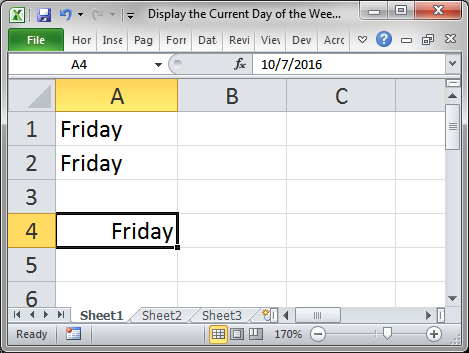
This formula will update every day to show the current day of the week.
=TEXT(TODAY(),"dddd")
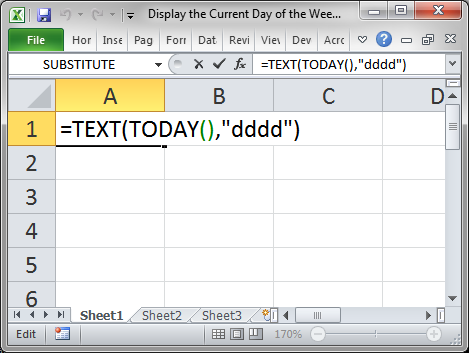
Result:
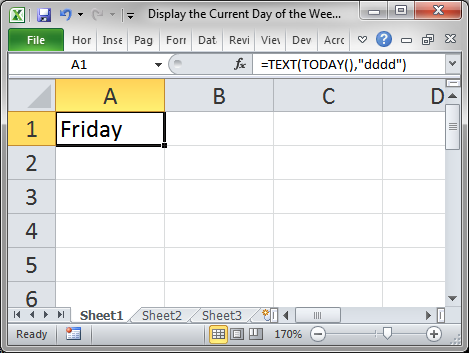
The TODAY() function returns the current day.
The TEXT() function allows us to return only the day of the week instead of any other part of the date.
You could also use NOW() instead of TODAY() if you need the current time for something else in the worksheet. The weekday would still be the only thing visible in the cell using the TEXT() function.
You can use dddd to show the full day name or ddd to show an abbreviated version of the day name.
Formatting to Show Current Day of Week
If you already get the current day of the week entered into the workbook via a macro or from imported data, you can use simple formatting to return the day-of-week value from the date.
- Right-click the cell with the date and click Format Cells...
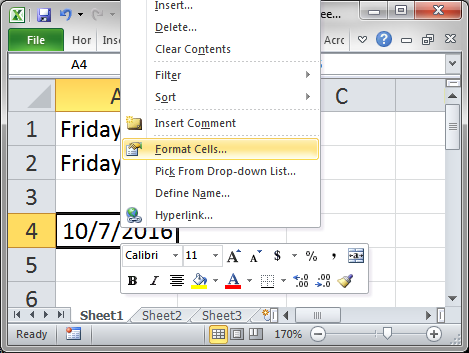
- Go to the Number tab and click the Custom category and under where it says Type: input dddd to show the full day or ddd to show an abbreviated version of the day name.
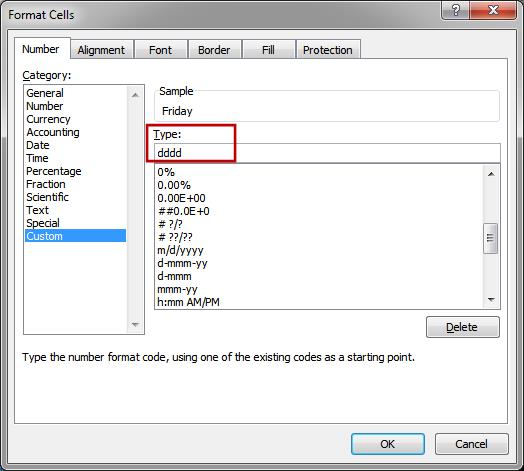
- Hit OK and that's it!
Notes
To get the current day in a formula, we are just combining either NOW() or TODAY() with the TEXT() function in order to return a custom format for the date.
Make sure to download the sample Excel file to work with this example.
Question? Ask it in our Excel Forum

Excel VBA Course - From Beginner to Expert
200+ Video Lessons 50+ Hours of Instruction 200+ Excel Guides
Become a master of VBA and Macros in Excel and learn how to automate all of your tasks in Excel with this online course. (No VBA experience required.)
Tutorial: How to get the last day of the month, including the date and day of week, for any date in ...
Tutorial: How to print the current date and or time on an Excel spreadsheet. This is a simple techni...
Tutorial: How to pass variables and values to macros. This allows you to get a result from one macr...
Tutorial: How to have a button in a UserForm disabled until the desired event occurs. For instance, ...
Macro: This Excel Macro saves the currently visible worksheet into the SAME folder as the current...
Macro: This macro will make the text of any selected cell in excel proper case. This means that t...
Subscribe for Weekly Tutorials
BONUS: subscribe now to download our Top Tutorials Ebook!

Excel VBA Course - From Beginner to Expert
200+ Video Lessons
50+ Hours of Video
200+ Excel Guides
Become a master of VBA and Macros in Excel and learn how to automate all of your tasks in Excel with this online course. (No VBA experience required.)